
The brief
One platform for an institute's whole exam cycle
Academy & Exam OS is a self-hosted web application for coaching institutes, academies and exam-preparation businesses. One installation serves one institute: its public website, question bank, Mock Tests, courses, students and payments — and, with the Flutter app source included in every licence, a student app under the institute's own name.
This page follows one Mock Test from the first question written to the released result. Every product screen on it is a real capture.
Question Bank
MCQ, numerical, written and passage questions on one syllabus tree.
Mock Test engine
Sections, pools, marking rules, immutable editions and server-timed attempts.
Learning
Courses, private PDFs, self-hosted or YouTube video and certificates.
AI MCQ practice
Practice sets from the institute's own AI provider, off by default.
Institute operations
Roles, batches, scoped teachers and the Communication Hub.
Payments & orders
Stripe, PayPal, Razorpay and offline payments, coupons and refunds.
Website & CMS
The institute's public website, blog, pages and legal pages.
Flutter app source
A student app for Android, built under the institute's name.
Build the bank
Write each question once, use it everywhere
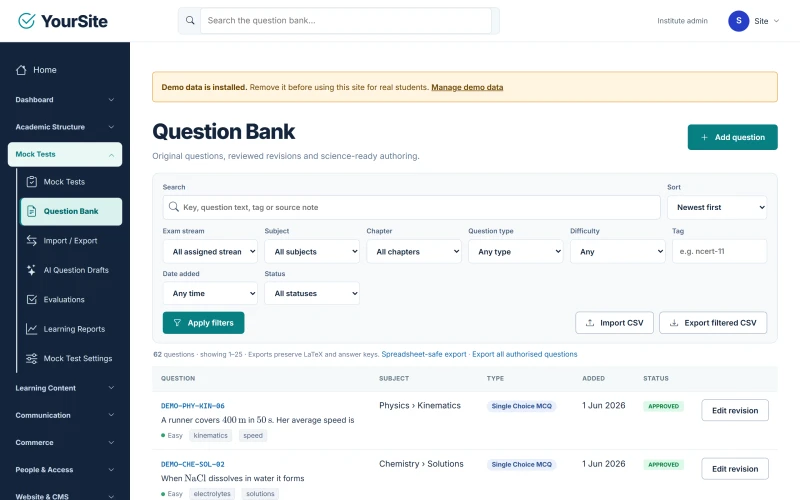
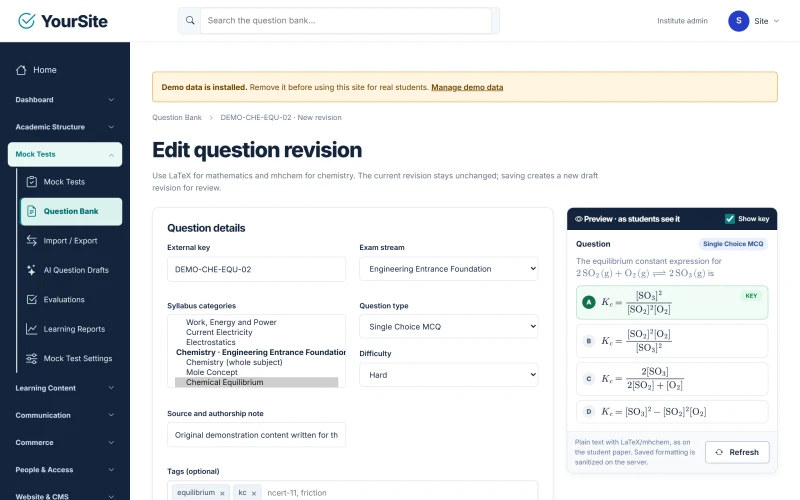
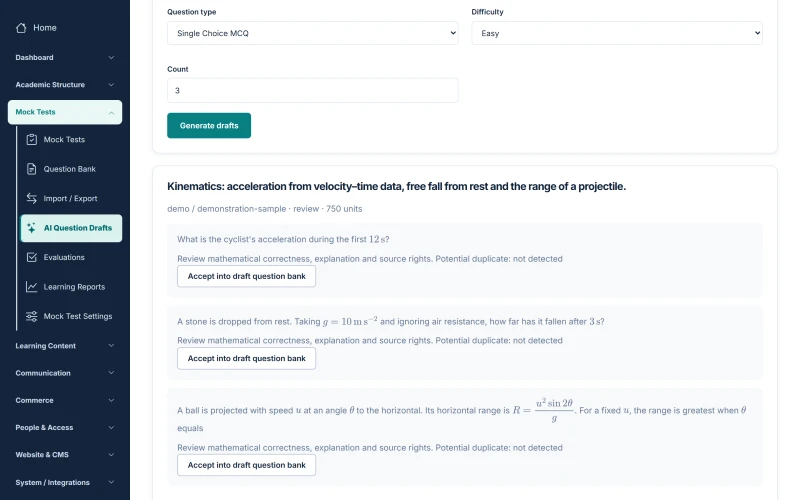
Questions live in one bank, organised by one syllabus tree that Mock Tests, PDFs and videos share. Staff write single-choice and multiple-correct MCQs, numerical and written questions, and shared passages — with LaTeX mathematics and mhchem chemistry that students see exactly as previewed.
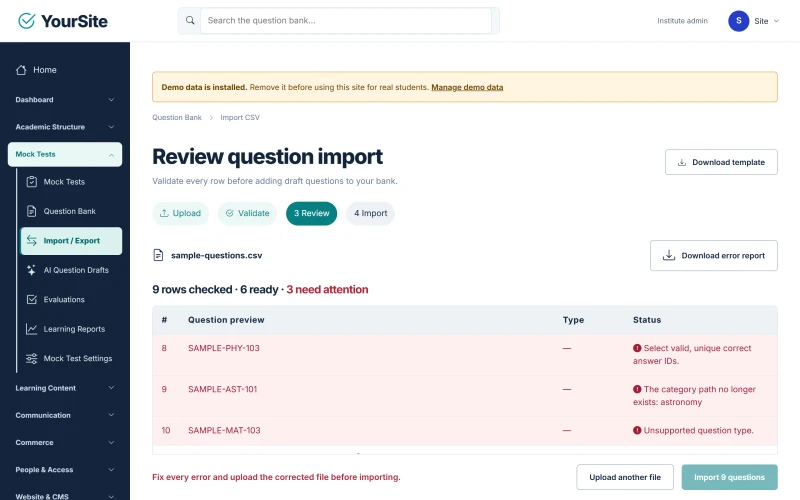
- CSV import with a row-by-row preview: template v1, up to 5,000 rows or 20 MB.
- Question and choice images, each with a required description.
- AI drafts, reviewed first: staff can draft questions with the institute's own AI provider; nothing enters the bank until a person accepts it.
Assemble the test
Sections, pools and marking rules
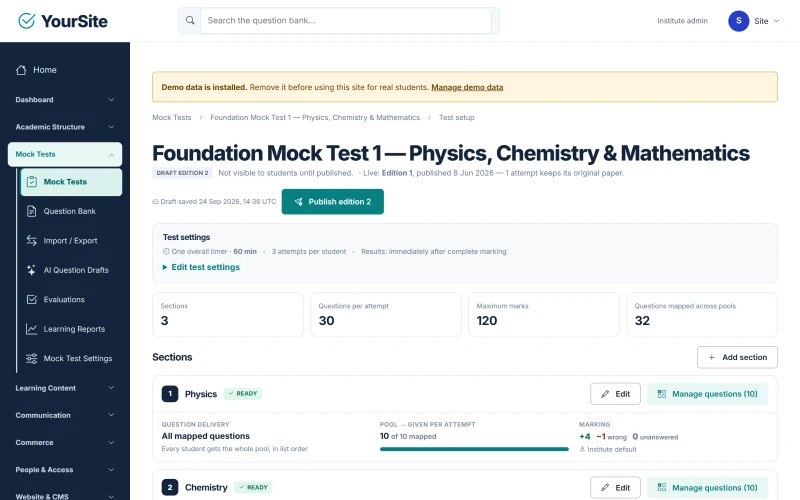
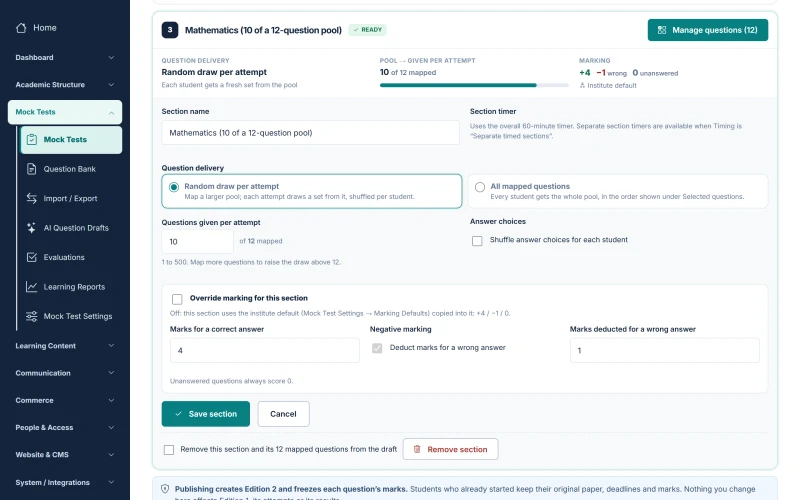
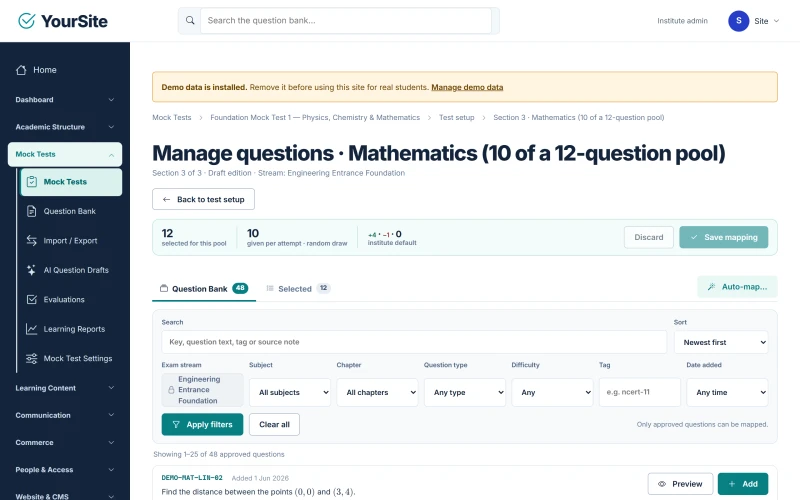
Institutes run Mock Tests with up to 200 questions per attempt, built from sections. Each section takes a fixed set of questions or a random draw from a larger pool, and can override the institute's default marking — positive and negative marking such as +4 / −1 is configurable.
Manage Questions maps bank questions into a section. Auto-map can propose matches from the section's filters; nothing changes until a staff member reviews and saves the proposal. Until it is published, the test is a working draft.
Publish an edition
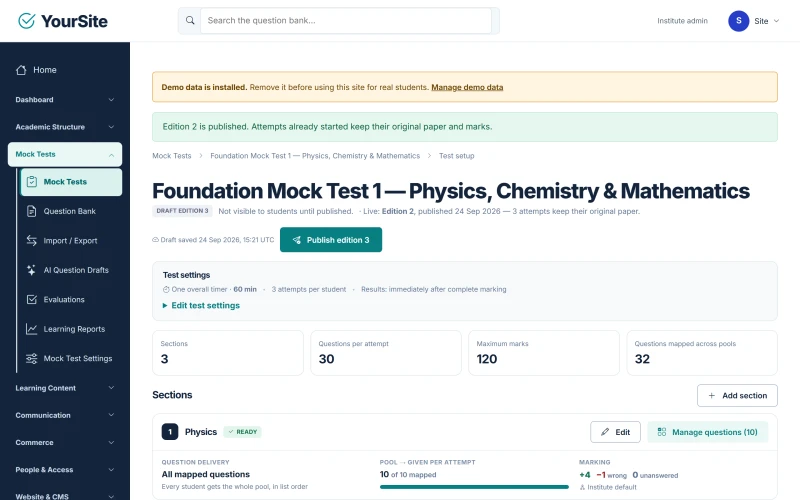
Publishing freezes the paper
Publishing turns the draft into an immutable edition: its questions and marks are fixed for everyone who sits it. Changing the test later creates a new edition, while students who already started keep the paper, deadline and marks they began with.
Every edition stays in the test's history.
Exam in progress
On exam day, the server keeps the clock and the record
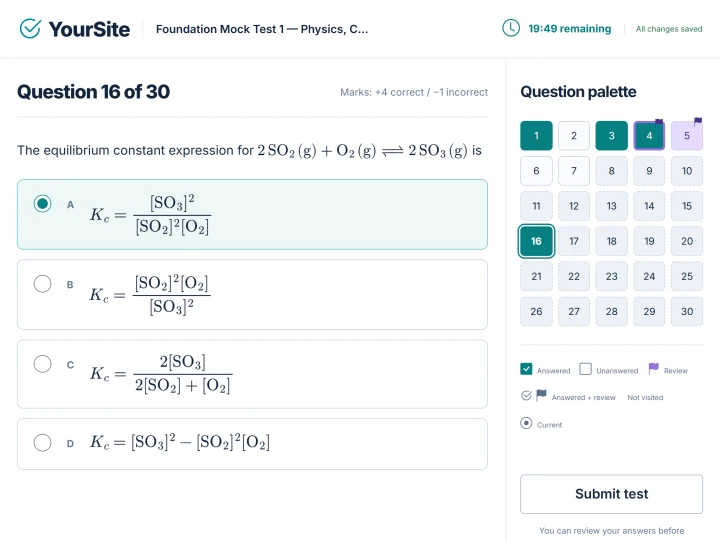
Students sit the test in the browser or in the Android app. The deadline is kept by the server, and an answer counts as saved only when the server acknowledges it.
-
1 of 2 · Exam in progress
Answer, and see it saved
The question, the chosen answer, the question palette and the server's remaining time on one screen. “All changes saved” appears only once the server has acknowledged the answer.
If the connection drops or the page reloads, pending answers are kept and the attempt carries on. Only one device can answer at a time.
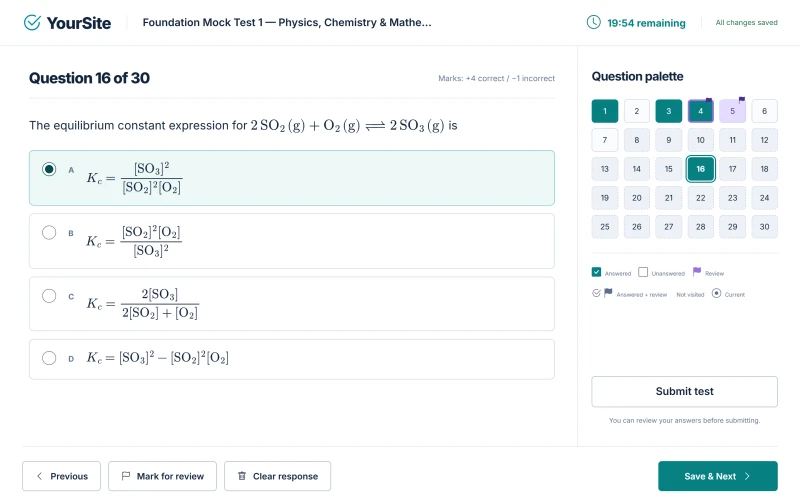
Question 16 of 30: option A chosen and acknowledged. -
2 of 2 · Submit
Review, then submit once
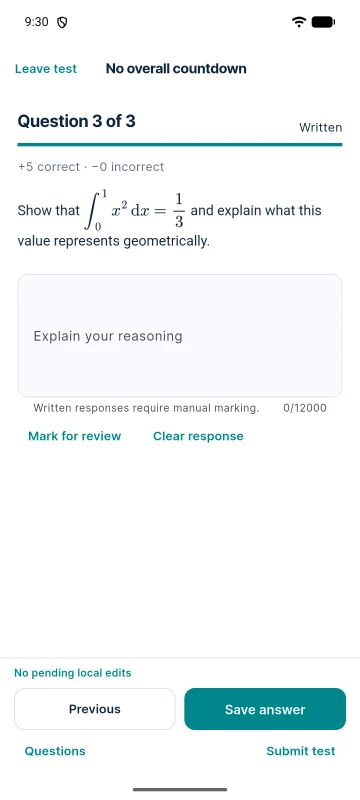
Before submitting, the student sees how many questions are answered and whether any change is still waiting for the server. Submitted answers cannot be changed, and a repeated submit cannot submit twice.
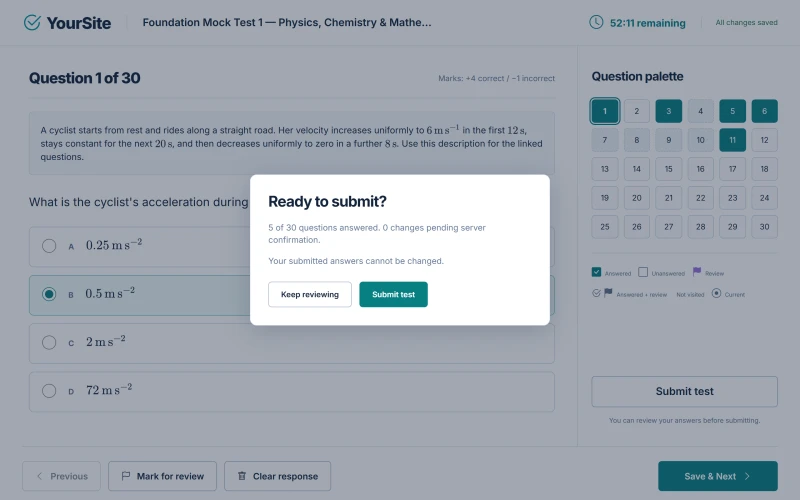
The “Ready to submit?” confirmation.
Results
Results on the institute's terms
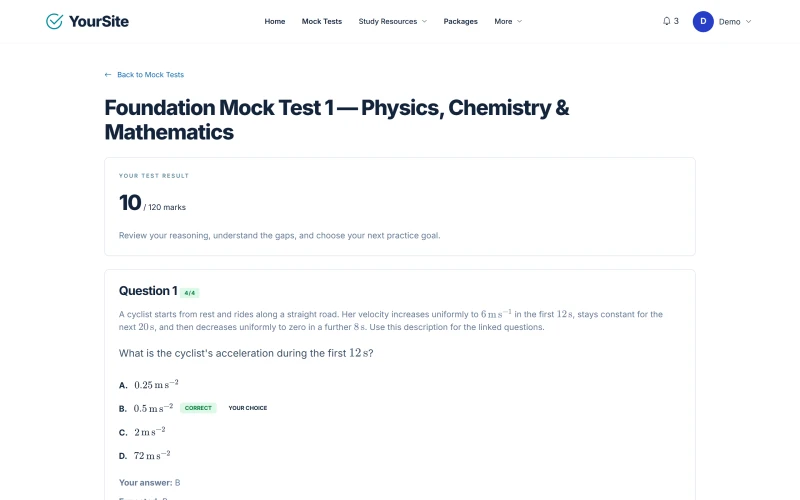
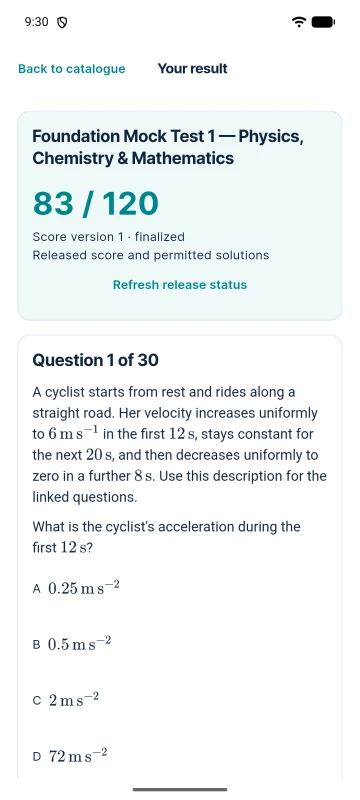
Each test decides when students see results and explanations: straight after submission, or once staff release them. Objective questions are marked automatically.
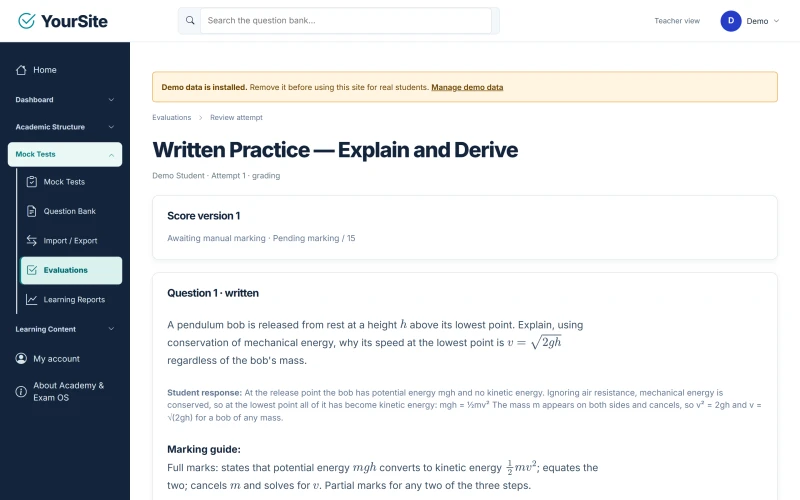
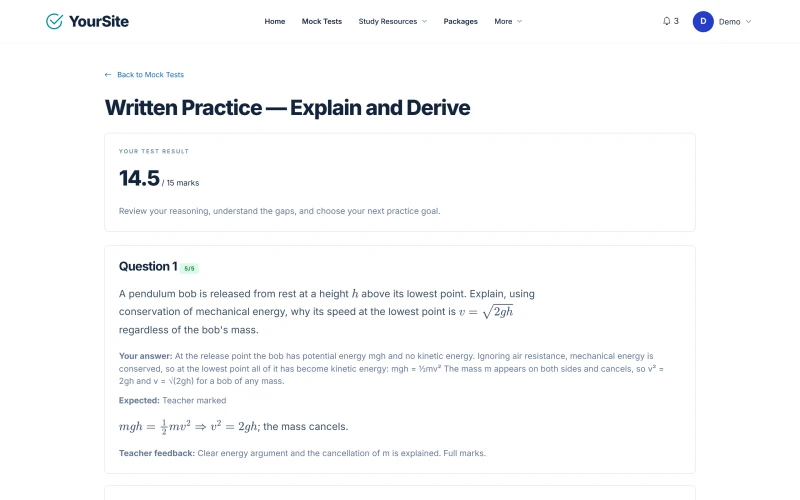
Teachers mark written answers with a numeric score and feedback. A regrade starts a new score version with a required reason, and the earlier version stays in the record.
Close the gaps
Practice and learning after the test
AI Generated MCQ Practice
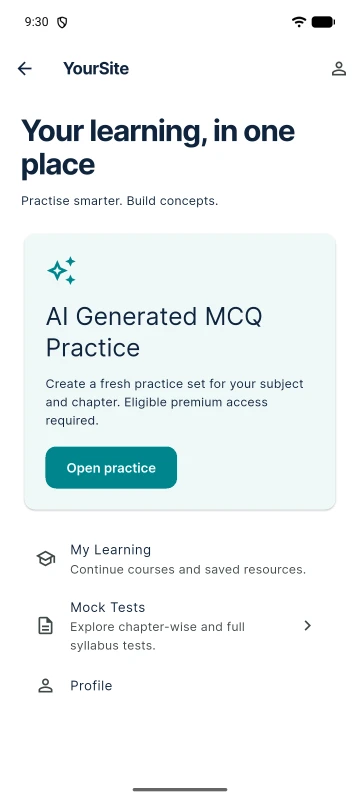
Students create 10- or 25-question practice sets for a chosen subject and chapter, answer them with +4 / −1 scoring and review the explanations. Practice uses the institute's own AI provider — OpenAI, Gemini or Claude — is off by default, and is granted through packages with limits set by admins. It stays out of formal rankings and certificates.
An enabled AI provider is required, and the provider's charges are separate. Generated questions can contain mistakes; students acknowledge this before they start.
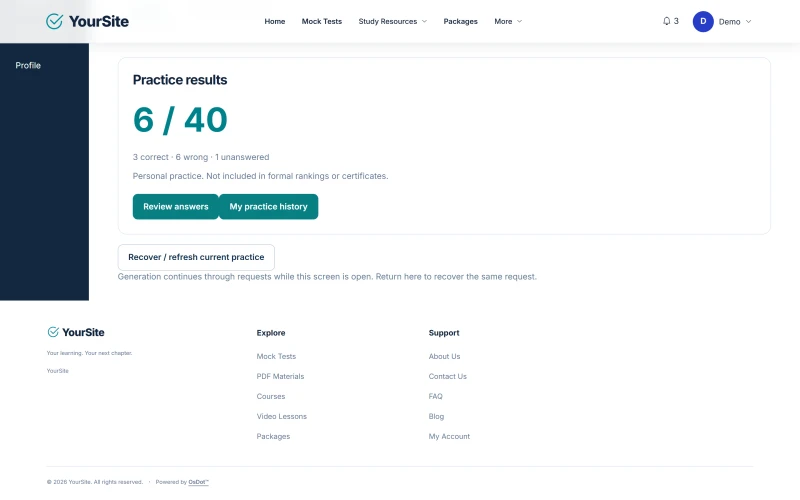
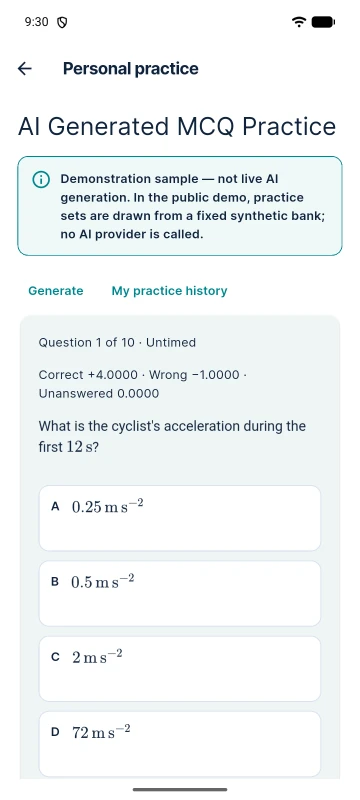
Both captured in the public demo, where practice sets come from a fixed demonstration sample, not live AI.
Courses, PDFs and video
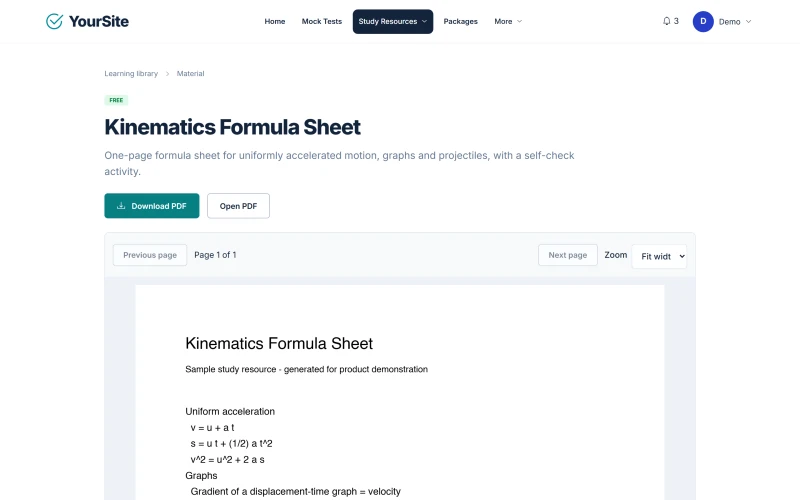
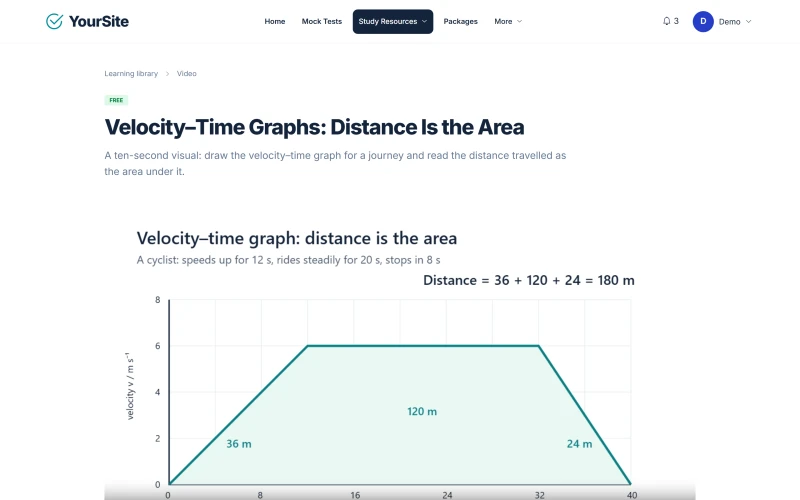
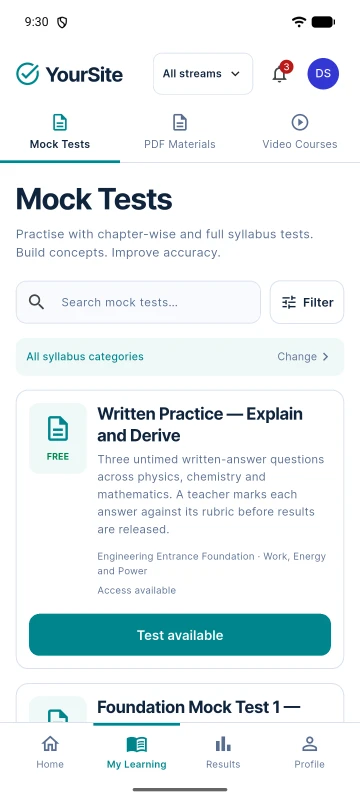
Ordered courses with progress and resume, private PDFs up to 20 MB, self-hosted video up to 250 MB or YouTube, bookmarks and completion certificates. Premium items unlock through the institute's packages.
Run the institute
Everything around the exams
People, roles and communication
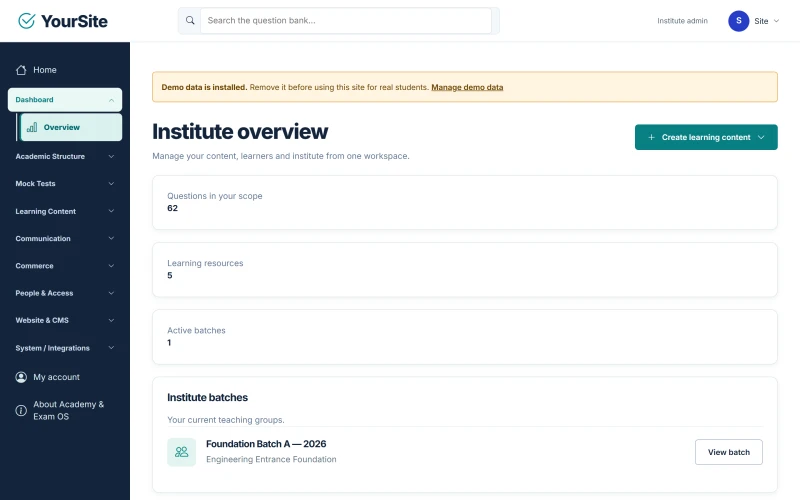
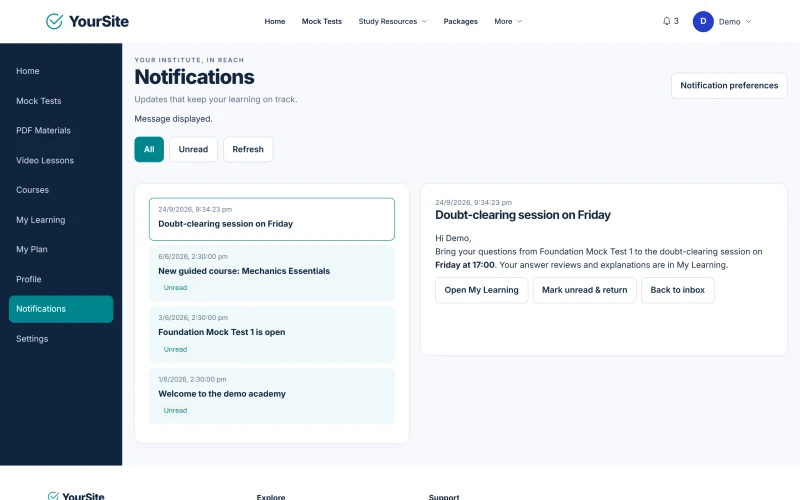
Owner, admin, teacher and student roles; batches and enrolment; teachers see only their own streams and batches; account actions are audited. The Communication Hub sends in-app announcements to batches or everyone, schedules one-time sends and keeps a delivery record. E-mail is optional and uses the institute's own SMTP server. An announcement can also send a short web notification to the browsers and installed apps where students and staff turned notifications on. There is no SMS or WhatsApp messaging.
Packages and payments
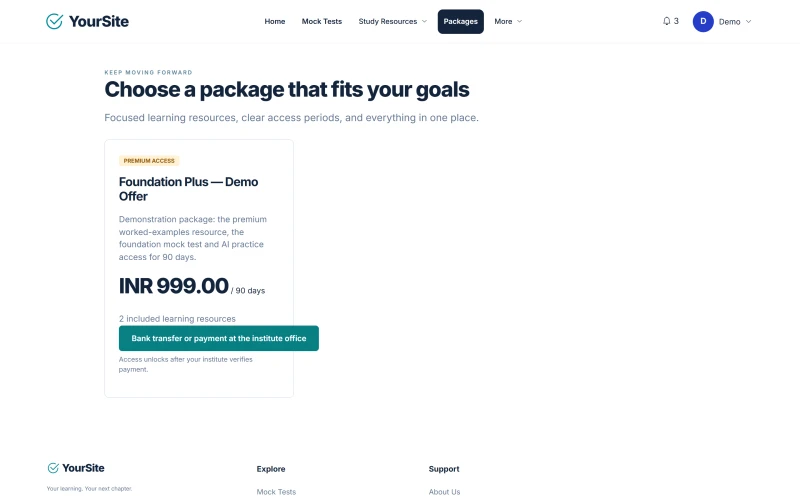
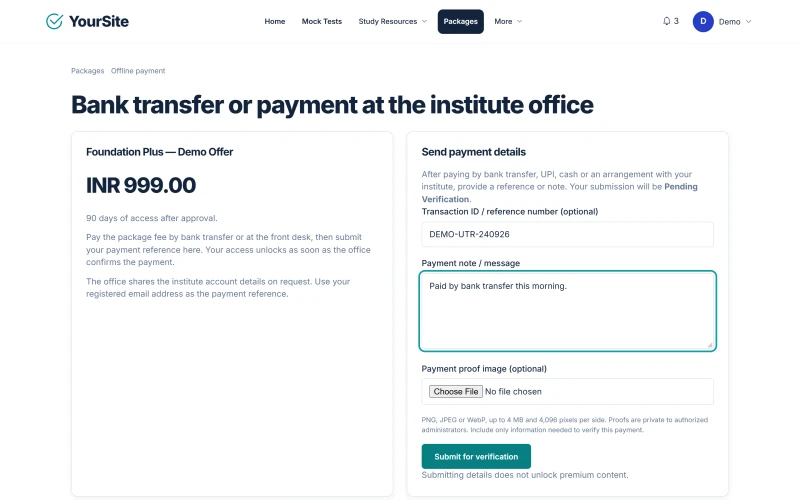
Sell packages with a fixed validity. Students pay online through Stripe (hosted Checkout), PayPal or Razorpay, or offline by bank transfer, mobile or wallet payment, or cash, with proof and staff approval. Coupons, orders, full and partial refunds and signature-verified webhooks are built in; online payments use the institute's own gateway account.
The institute's own website
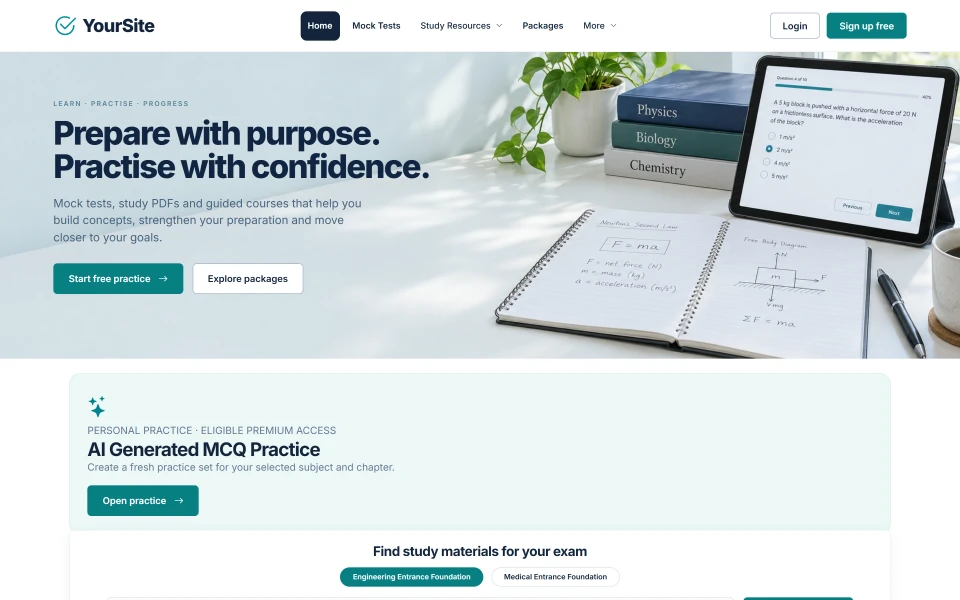
The public website comes with the product: homepage slider and sections, featured and latest items, blog, pages, FAQ, menus, an About page, a contact page with a private inbox, versioned legal pages with consent tracking, draft and published states, and SEO fields.
Take it with you
A student app under the institute's name
Every licence includes the source of a Flutter student app. Students sign in, browse the catalogue, take Mock Tests with recoverable saving, see results, practise, read institute updates and follow courses with PDF and video. The app never sells anything: purchases stay on the website.
Each institute builds the app with its own name, application ID and API address.
- Android: a release build is verified on an emulator.
- iOS: OsDot builds and tests it on the iPhone simulator; not device-tested.
Make it yours
Your institute's brand — or your clients'
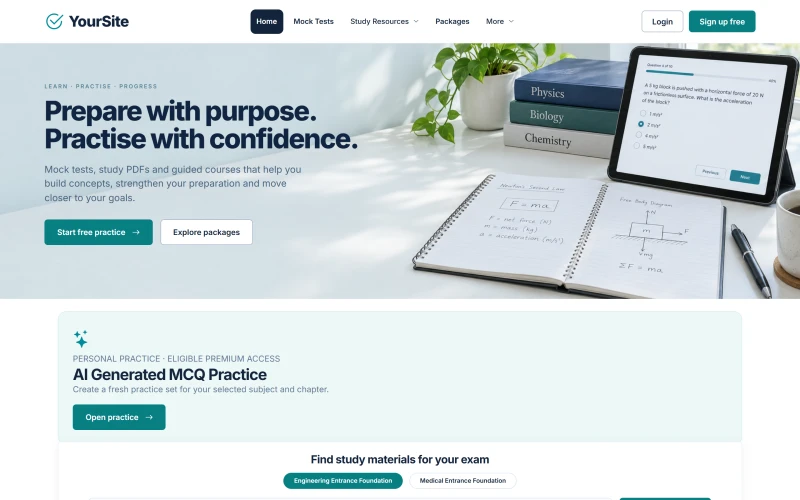
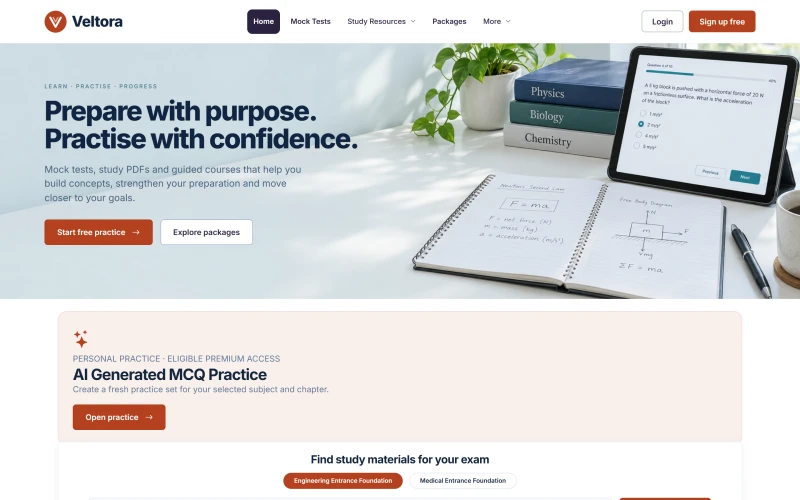
Institutes set their logo, favicon, site name, two brand colours (primary and navy), footer text, currency and time zone in settings — no code. Here is the same homepage under two brands.
White-Label for agencies
With the Reseller / White-Label licence, agencies can rename, rebrand, modify and resell the product for their clients under the Tier 3 terms. That package ships without runtime licensing, and the reseller right itself is non-transferable.
“Powered by OsDot™”
The public website's footer shows a “Powered by OsDot™” line, which each site owner can switch off in Website settings. In the admin area's footer it is part of the software and has no setting.
Install and run it
Install it on your own hosting
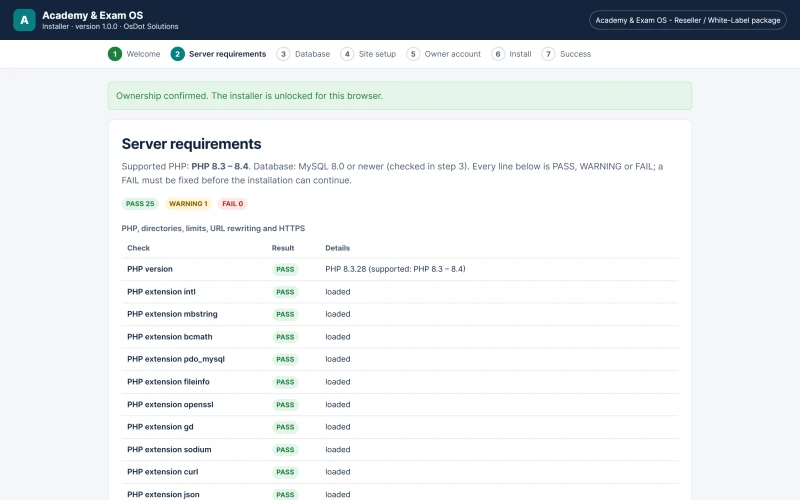
Hosting: Academy & Exam OS works on compatible shared hosting, cloud hosting, and VPS hosting. A VPS is not required. Your server must meet the listed PHP, database, HTTPS, URL-rewriting, database-privilege, and cron requirements. The built-in installer checks compatibility before installation.
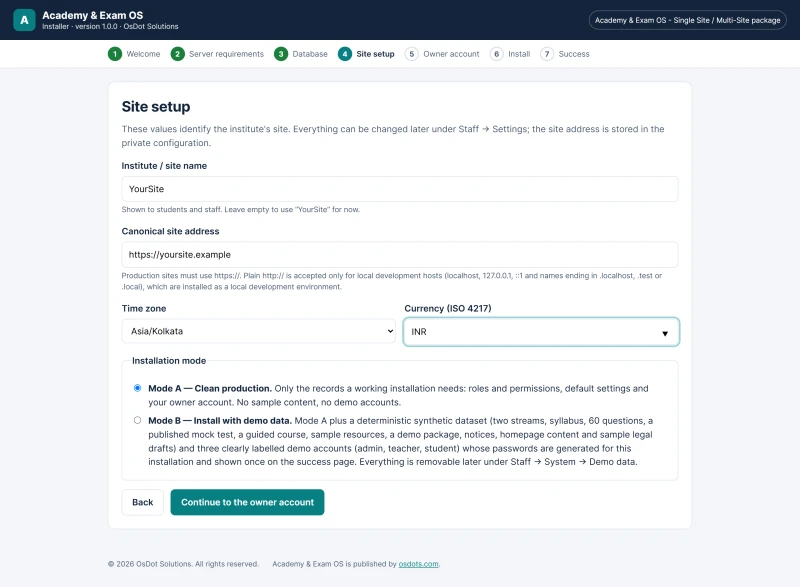
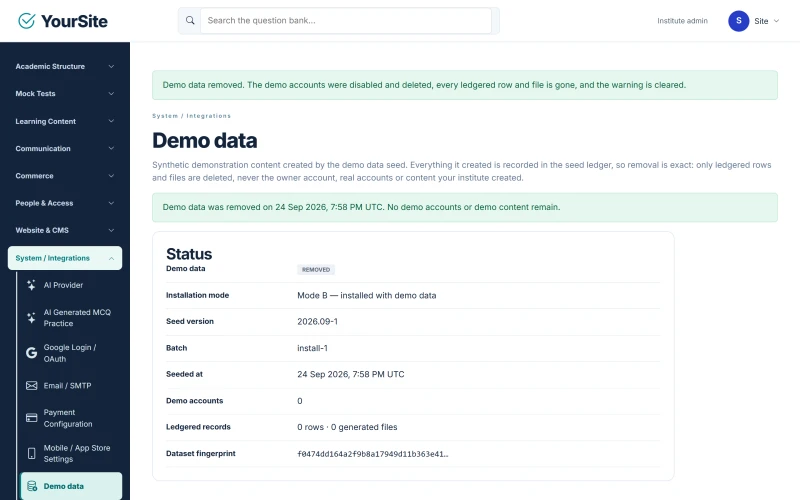
A seven-step browser installer checks the server, connects the database, sets up the site and the owner account, then locks itself. Choose Mode A for a clean site, or Mode B to start with demo data that you can later remove exactly.
Single Site
$67 one-time
1 web installation. Web source, Flutter source and documentation included.
Multi Site
$127 one-time
Up to 5 web installations. Web source, Flutter source and documentation included.
Reseller / White-Label
$499 one-time
Reseller / white-label rights. Web source, Flutter source and documentation included.
One-time prices in US dollars. Self-Service support and normal software updates come with every licence; Priority Support is optional at $97 per year.
Submitted
Ready to choose?
Compare the editions, try the public demo, or talk to OsDot Solutions about installation, app deployment or customisation.
- Public demo (opens in a new tab) — synthetic data; configuration changes are disabled.
- Documentation — installation, configuration and the mobile app build, shipped with every package as offline HTML (START-HERE.html).
- Contact OsDot Solutions for quotes, installation and customisation.